Features
Frame-accurate video
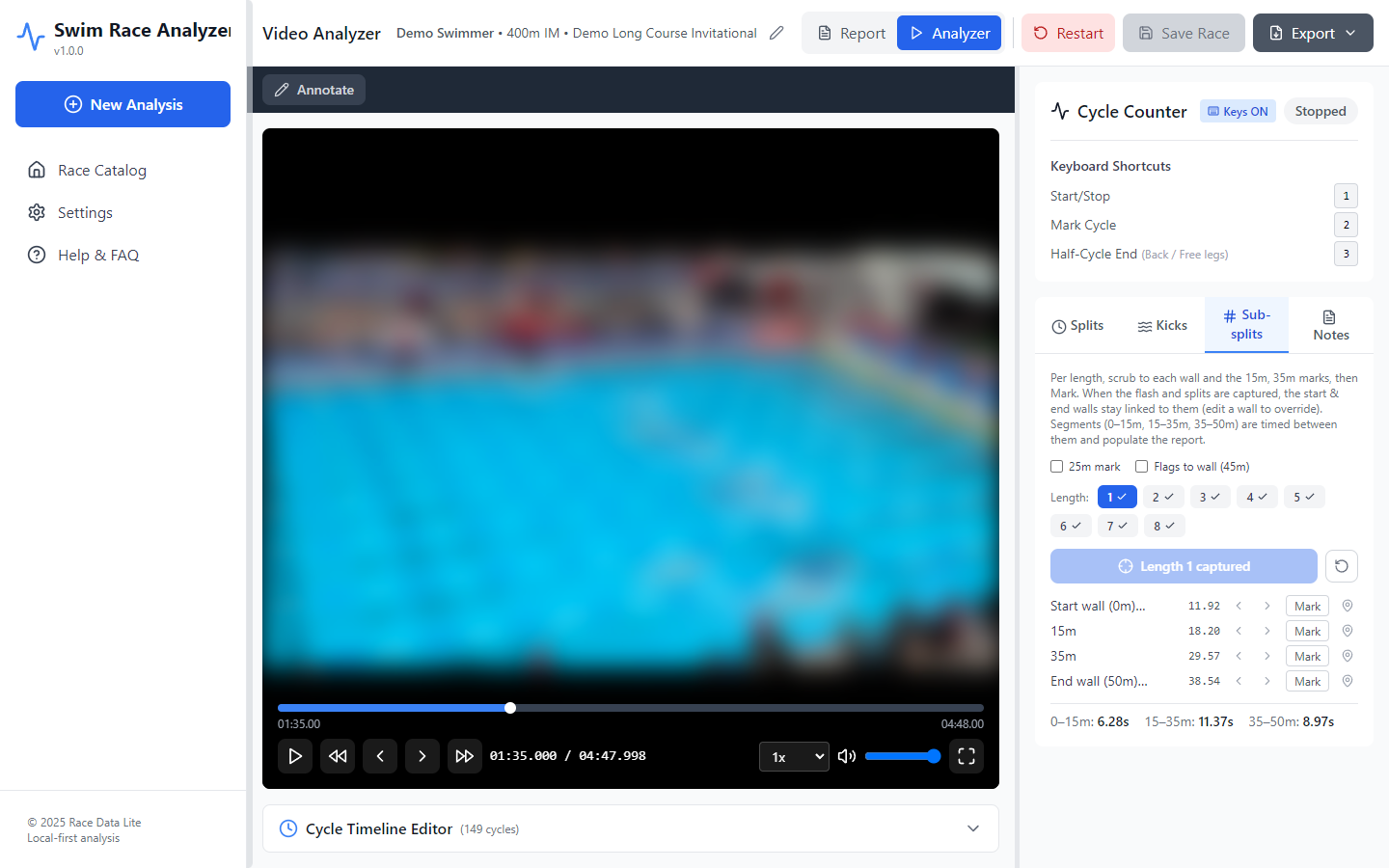
Step one frame at a time, slow playback down to 0.1×, and scrub with fine control. Marks land on real frames of your footage.
Stroke cycle counting
Count with the 1, 2 and 3 keys while the video plays. A new length starts automatically after each turn, and IM races are counted stroke by stroke.
Tempo analysis
Seconds per cycle and cycles per minute for every length, with averages that leave out the breakout and finish cycles.
Reaction time and splits
Mark the start light once, then the block and each wall, or type official splits from the results sheet.
Sub-splits
Time the underwater and breakout zones: a 15 m mark in every pool, 25 m and 35 m in long course, and an optional flags-to-wall split.
Reports and comparisons
Race reports with splits, stroke counts and the tempo graph. Compare swims side by side and export to PDF, HTML or CSV.
Notes and drawing
Timestamped notes that jump back to the moment they refer to, and drawing tools for marking up the video.
Phone video support
Plays common phone and camera formats. If a computer can't decode an iPhone video, the app makes a compatible copy.
Works offline
Analysis needs no internet connection. Videos and race data are stored on your computer and never uploaded.
Review workflow
Each step feeds the report, so there's no separate data entry at the end.
Load the video
Enter the swimmer, event and course. The frame rate is read from the file.
Count strokes
Press a key on each hand entry. Lengths split automatically at each turn.
Mark times
Start light, block, walls and sub-split points, or type the official splits.
Review the report
Splits, tempo, stroke counts and sub-splits, ready to export or compare.
Screenshots
From a demo 400 IM, long course.
Race report
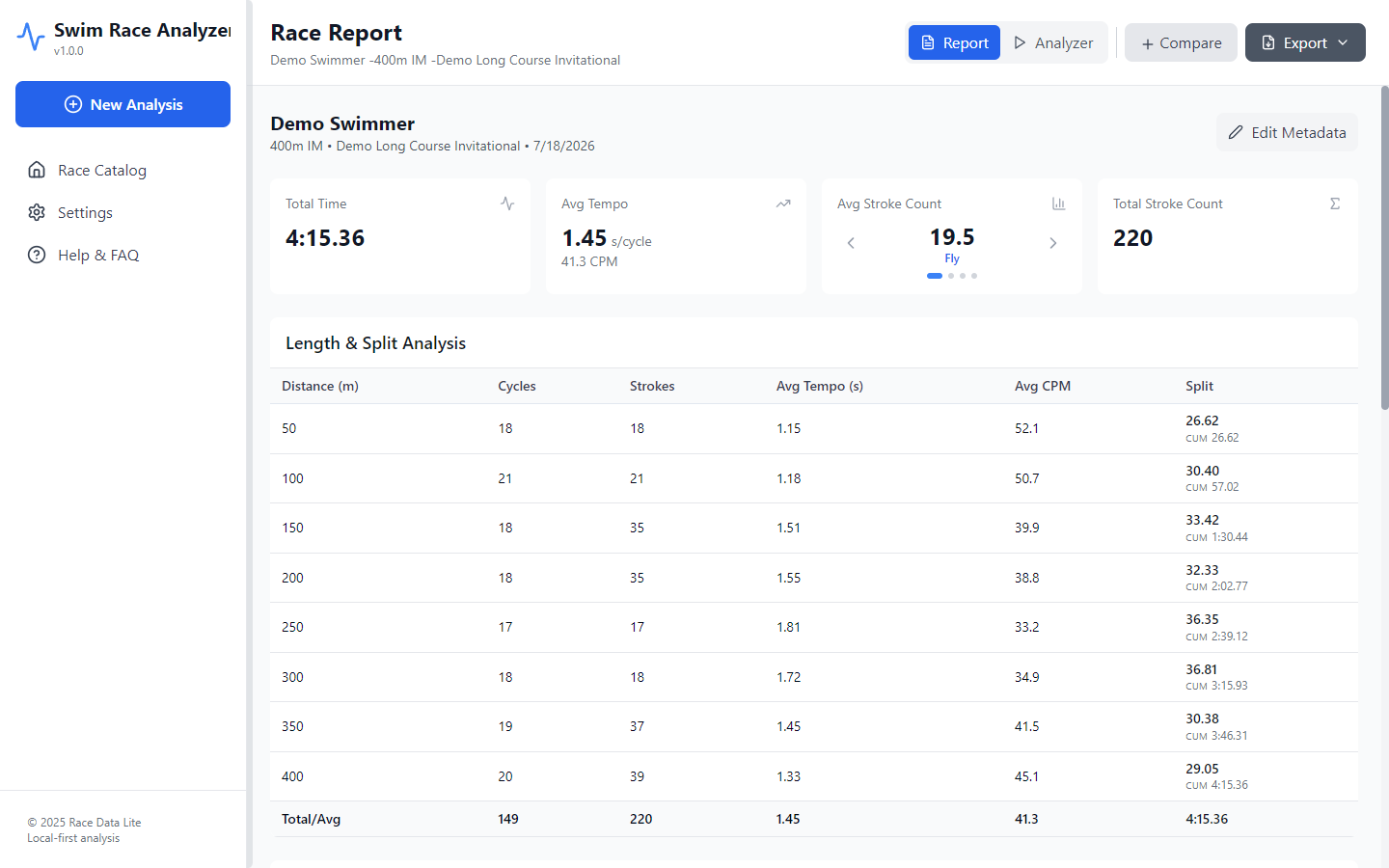
Total time, average tempo and stroke counts, followed by a breakdown of every 50.
- Cycles, strokes, tempo and cycles per minute for each length
- Per-50 and cumulative splits
- Stroke count averages for each IM stroke
Tempo graph
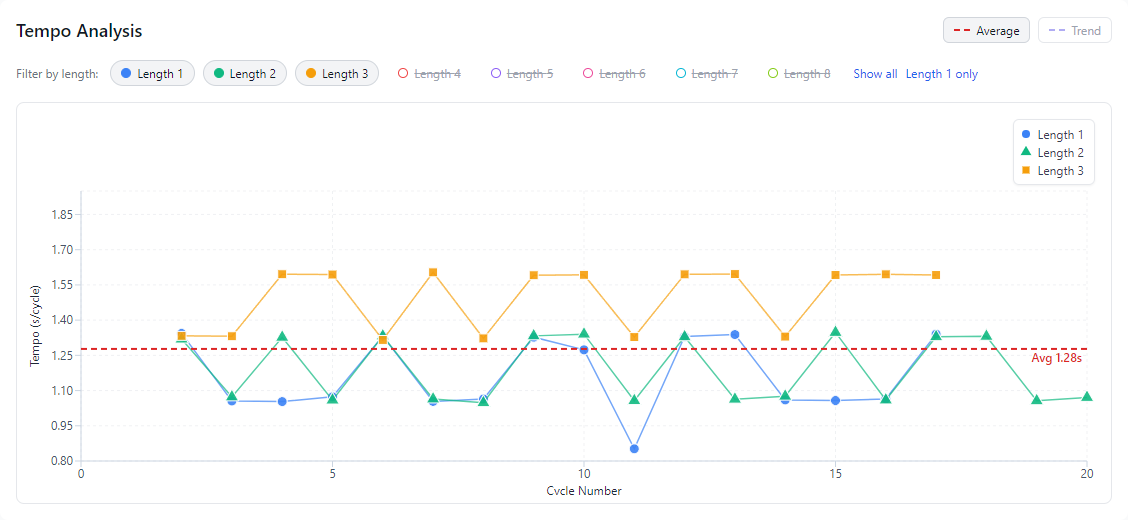
Compare tempo across lengths cycle by cycle, with average and trend lines. Show or hide each length.
Cycle timeline editor
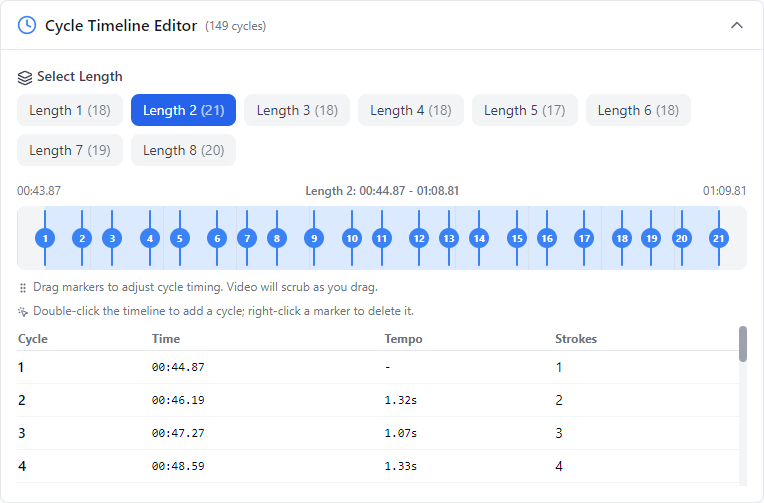
Every stroke mark sits on an editable timeline. Drag, add or delete marks, and tempo and stroke counts update automatically.
Licensing
For attendees of the ASCA Swim Performance Analyst Course
Swim Race Analyzer is currently available only to coaches attending the ASCA Swim Performance Analyst Course. Your license key is emailed to you when you enroll.
A full public release is coming at a later date.
- Two computers per licenseActivate on up to two computers. You can move a license to a new computer from Settings.
- Lifetime licenseIncluded with the course. No subscription.
- Offline useNo internet connection is needed for analysis. Connect at least once every 90 days to keep the license active.
Download
Version 1.0.0. You'll need the license key from your course email the first time you open the app.
- Download the installer for your computer and open it.
- Open Swim Race Analyzer and enter your license key, or click the activate link in your email.
- Load a race video and start your review.
Windows says “Windows protected your PC”
Windows shows this for apps it hasn't seen often yet. Click More info, then Run anyway. The installer doesn't need an administrator password.
Which Mac do I have?
Open the Apple menu and choose About This Mac. If it lists a Chip (M1, M2, M3 and so on), choose Apple Silicon. If it lists a Processor (Intel), choose Intel.
Lost your license key?
Contact the course team and a replacement key will be emailed to you. Computers you've already activated keep working.
Privacy: videos and race data are stored on your computer and never uploaded. The app connects to the internet only to activate and renew your license.